



The M6 update for the Mac Mini arrived not a moment too soon. Not only has it been nearly two years since the last Mac Mini was released, but it’s also become increasingly difficult to find an older M4 Mini for purchase in recent months. In the year of the AI agent, Apple’s Mac Mini has enjoyed a surge in popularity to the point of dwindling supplies and long wait times.
The compact, quiet and affordable Mini with its energy-efficient yet powerful Apple silicon and unified memory has become a popular pick for people looking to run OpenClaw and other local AI agents around the clock. Even at its slightly elevated starting price of $899, the M6 Mini is sure to remain en vogue as a tiny, always-on AI server. The core count ticks up for the CPU, GPU and NPU in going from the M4 to the M6, skipping over the M5 in the process.
If you want to pack more power into the Mac Mini for running demanding creative workloads or larger LLMs, Apple offers two M5 Pro processor upgrades and the ability to stuff the Mini with up to 64GB of RAM. Apple sent me a pair of Mac Minis to test, an M6 model with bumps to the memory and storage and a loaded M5 Pro unit whose price places it in Mac Studio territory.
Apple Mac Mini specs (as tested)
| Mac Mini M6 | Mac Mini M5 Pro | |
| Price as reviewed | $1,299 | $2,899 |
| CPU | M6 12-core CPU | M5 Pro 18-core CPU |
| Memory | 24GB unified memory | 48GB unified memory |
| Graphics | Integrated M6 12‑core GPU | Integrated M5 Pro 20‑core GPU |
| Storage | 512GB SSD | 1TB SSD |
| Networking | Wi-Fi 7 and Bluetooth 6 | Wi-Fi 7 and Bluetooth 6 |
| Ports | Front: USB-C (x2, up to 10Gbps), 3.5mm headphone jack
Rear: USB-C Thunderbolt 4 (x3, up to 40Gb/s), HDMI out, Gigabit Ethernet, power input |
Front: USB-C (x2, up to 10Gbps), 3.5mm headphone jack
Rear: USB-C Thunderbolt 4 (x3, up to 40Gb/s), HDMI out, Gigabit Ethernet, power input |
| Operating system | MacOS 27.0 Golden Gate | MacOS 27.0 Golden Gate |
Even before the latest price hike with the M6 model, the Mac Mini lost its standing earlier this year as Apple’s most affordable Mac computer. It debuted two decades ago at $499 and could be had for $599 for most of its tenure before jumping to $799 earlier this year.
Released this spring, the MacBook Neo became the cheapest Mac at just $699, but it’s based on an A18 Pro processor borrowed from the iPhone. So, the Mac Mini still remains the most affordable Mac computer with a proper M-series processor. At $899, it’s still $400 less than the cheapest MacBook Air. And it beat every MacBook in the race to be the first Mac to get Apple’s new M6 processor.
Meet the M6
The M6 processor is the first of Apple’s M series processors to be fabricated with a 2nm process, which allows for denser circuitry in the same size die. The smaller process usually results in greater efficiency and lets you increase the core count and clock speeds without increasing the size of the chip.
And sure enough, the M6 is richer in cores than the previous M4 part. The M6 has 12 CPU cores and 12 GPU cores — up from 10 cores of each type in the M4 chipset. Meanwhile, the core count of the neural processing unit that’s designed to handle the integer math required for AI tasks, including Apple Intelligence, has doubled.
 Josh Goldman/CNET
The M6 has a dual 16-core neural engine; its combined 32 cores are double the 16-core NPU of the M4 and M5 Pro. The M6 and M5 Pro also feature the same neural accelerators on the GPU that Apple introduced with the M5 to help boost AI and ray-tracing performance.
For $899, the M6 Mac Mini has 16GB of RAM, a 256GB SSD and a 2.5Gb Ethernet adapter. Offering 256GB of storage on a desktop computer, no matter how small that computer may be, is borderline offensive. You can’t even buy a MacBook Air with a 256GB SSD after Apple jettisoned that undersized option earlier this year. Unfortunately, the cost to double the storage to 512GB is steep at $200, which quickly pushes the price of the Mac Mini over $1,000. Want to double it again to 1TB? That’s another $300. Be prepared to part with another $500 if you want to double it yet again to 2TB.
Memory costs are similarly steep. Each 8GB upgrade adds $200 to the bill, going from 16GB to 24GB and 24GB to 32GB. Choose one of the M5 Pro upgrades, and you can take the memory to 48GB or 64GB and storage up to a whopping 8TB. (I’ll let you discover those upgrade prices on your own; just be sure you’re sitting down when you take a look.)
Pricing for the Mac Mini with an M5 Pro starts at $1,699. For that price, you get an M5 Pro with a 15-core CPU and 16-core GPU, along with 24GB of memory and a 512GB SSD. (Yes, along with you, I was relieved to see the 256GB SSD option disappear with the M5 Pro upgrade.)
 Josh Goldman/CNET
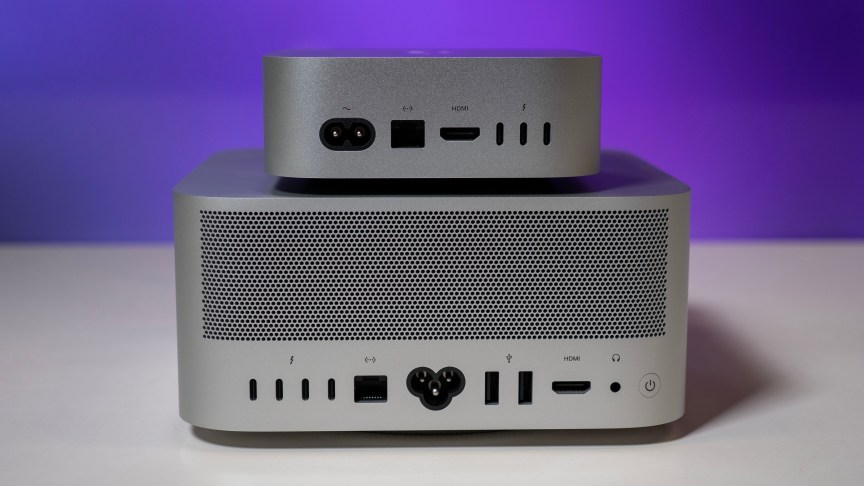
Apple sent me the higher of the two M5 Pro offerings. It has an 18-core CPU and a 20-core GPU. Apple also upped the memory to 48GB and the storage to 1TB while also upgrading the Ethernet adapter to 10Gbps. The cost of this test system is $2,899. That’s $400 more than the entry-level Mac Studio.
Notably, the M5 Pro chips have the same 16-core neural engine as the standard M5 chip and not the M6’s dual 16-core neural engine. No matter the CPU you choose, the Mac Mini comes with Apple’s N1 chip that delivers Wi-Fi 7 and Bluetooth 6 networking.
The good news and bad news with Apple’s unified memory
Let’s get the bad news (and a couple of acronyms) out of the way first. Apple’s M-series processors have a system-on-a-chip (or SoC) design with a unified memory architecture. The downside of this arrangement is that the RAM cannot be upgraded after purchase. You’re locked into whatever amount you buy. Common on today’s laptops, it’s more of a drag on a desktop computer, even one as compact as the Mac Mini, where space for upgrades is limited.
Now, the good news. The SoC design combines the CPU, GPU and neural engine to remove bottlenecks and speed up both performance and efficiency. And with Apple’s UMA, the system’s memory is shared among the CPU, GPU and neural engine instead of splitting it into separate blocks where most of the RAM is accessed by the CPU and only a smaller amount of video RAM is allocated to the GPU. Running a local LLM is extremely memory-intensive, which is why the affordable Mac Mini, with its unified memory, has become the move for many people looking to run local AI agents.
 Josh Goldman/CNET
Memory bandwidth has improved with the new Mini models. The M6 Mac Mini’s memory has a bandwidth of up to 153 GB/s with 16GB of RAM and up to 170 GB/s with 24GB or more, which is an increase from the 120 GB/s of the M4 Mini. The M5 Pro jumps you up to a memory bandwidth of 307 GB/s.
Design stays the same
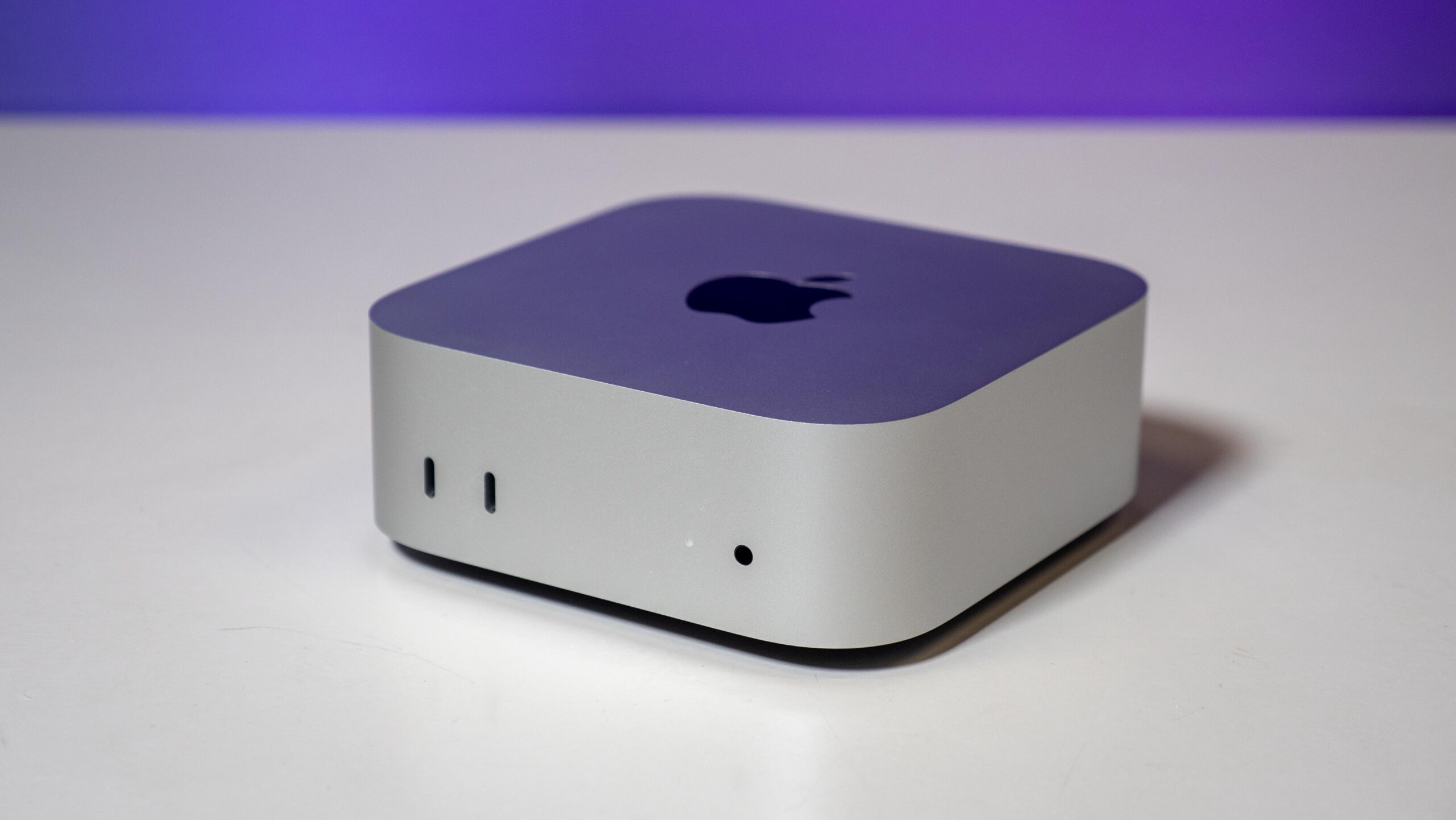
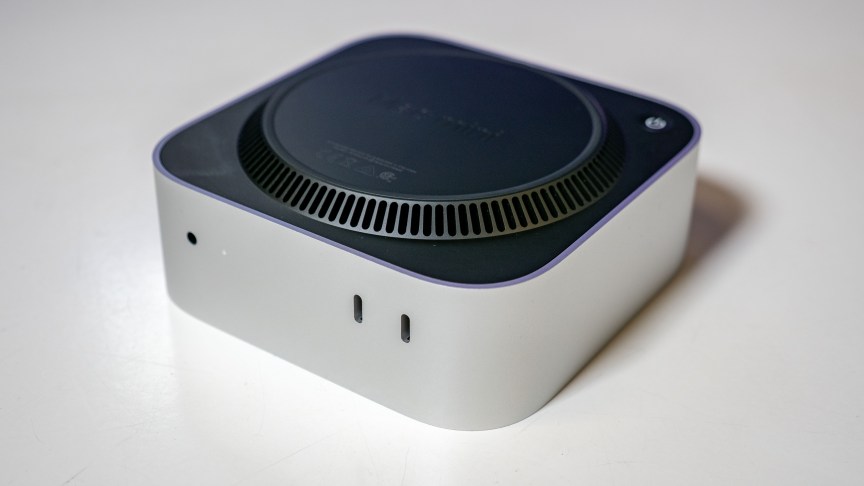
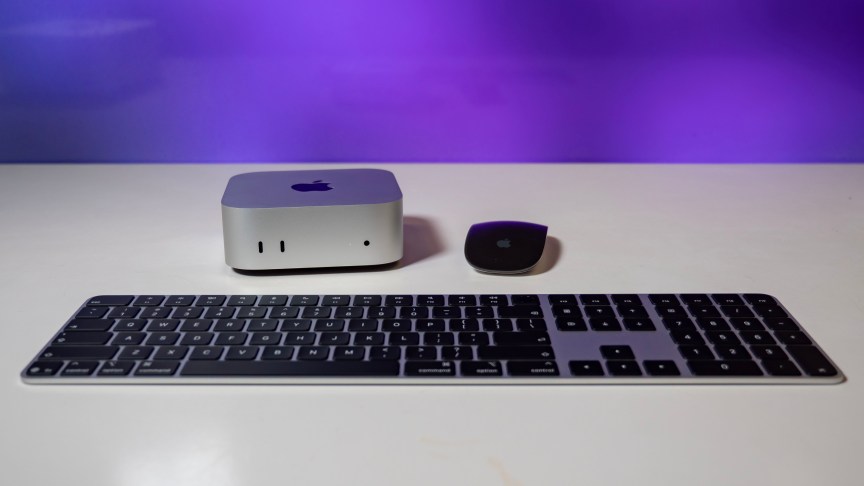
Apple refreshed the internals but kept the design the same from the M4 model, which introduced a much smaller footprint than the previous M2 model. The M6 Mini has the same 5-by-5-inch box that stands 2 inches tall, with the power button still in the same somewhat strange location. It’s on the bottom panel, which means you’ll need to pick up the Mini to power it on.
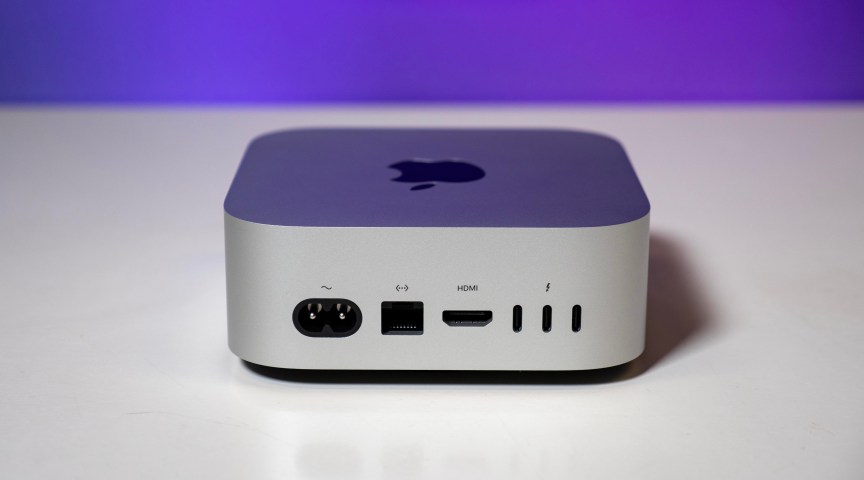
The same design means the new Mini has the same port selection, which was strong with the M4 Mini, so it wasn’t begging for a change — unless you were looking for the adapter-free convenience of getting a USB-A port. With all of the USB ports of the Type-C variety, you’ll need an adapter for older USB-A peripherals or a wired mouse. Like the M4 model, the M6 Mini supports up to three external displays.
 Josh Goldman/CNET
M6 and M5 Pro Mac Mini performance so far
Based on my initial testing, the M6 Mac Mini is looking like it’s going to be an even more popular pick than the M5 Pro Mini or previous M4 Mini for agentic AI workloads. The dual 16-core neural engine, combined with the neural accelerator on each GPU core, helped the M6 rocket ahead of the M4 Mini on our Geekbench AI test, which measures the on-device AI performance of a laptop’s NPU. The M6 also topped the M5 Pro Mini and every M5-based MacBook we’ve tested on this test. The M5 has the GPU neural accelerators of the M6 but not its dual 16-core neural engine.
Still, the Asus Ascent QN10 mini PC based on a Qualcomm Snapdragon X2 Elite CPU performed better on this test than the M6 Mini, thanks to its NPU, which is capable of 80 trillion operations per second.
On our application benchmarks, the M6 Mini turned in outstanding single-core performance on the Geekbench 6 and Cinebench 2024 tests, where it again outpaced the M5 Pro and the crop of M5 MacBooks and Windows competitors. The M5 Pro Mini put its extra CPU cores to good use and beat the M6 Mini on the Geekbench 6 multicore test, but surprisingly, it fell short of the M6 Mini on the multicore CPU test of Cinebench 2024.
Where the M5 Pro Mini had its largest advantage over the M6 Mini in graphics performance. It easily outpaced the M6 Mini on our 3DMark Steel Nomad test.
I have more tests to run on these two machines to further investigate their AI and graphics performance. Check out the initial benchmark results below for the M6 and M5 Pro Mini, and check back soon for my full review of Apple’s latest Minis.
System configurations
| Apple Mac Mini (M6) | MacOS Golden Gate 27.0; Apple M6 (12-core CPU, 12-core GPU), 24GB LPDDR5, 512GB SSD |
| Apple Mac Mini (M5 Pro) | MacOS Golden Gate 27.0; Apple M5 Pro (18-core CPU, 20-core GPU), 48GB LPDDR5, 1TB SSD |
| Apple Mac Mini (M4) | MacOS Sequoia 15.1; Apple M4 (10-core CPU, 10-core GPU), 16GB LPDDR5, 512GB SSD |
| Apple MacBook Pro 16 (M5 Max) | Apple MacOS Tahoe 26.3.1; Apple M5 Max (18-core CPU, 40-core GPU); 128GB LPDDR5; 4TB SSD |
| Apple MacBook Pro 16 (M5 Pro) | Apple MacOS Tahoe 26.3.1; Apple M5 Pro (18-core CPU, 20-core GPU); 48GB LPDDR5; 2TB SSD |
| Apple MacBook Pro 14 (M5) | Apple MacOS Tahoe 26.0.1; Apple M5 (10-core CPU, 10-core GPU); 16GB LPDDR5; 1TB SSD |
| Apple MacBook Air (M5) | Apple MacOS Tahoe 26.3.1; Apple M5 (10‑core CPU, 10‑core GPU); 16GB LPDDR5; 1TB SSD |
| Asus Ascent QN10 | Microsoft Windows 11 Pro; Qualcomm Snapdragon X2 Elite X2E-88-100; 32GB LPDDR5; Qualcomm Adreno X2-90; 1TB SSD |
| Asus NUC 16 Pro | Microsoft Windows 11 Pro; Intel Core Ultra X7 358H; 64GB LPDDR5; Intel Arc B390; 1TB SSD |
| Minisforum AtomMan G1 Pro | Microsoft Windows 11 Pro; AMD Ryzen 9 8945HX; 32GB LPDDR5; Nvidia RTX 5060; 1TB SSD |

See full bio
Read the full article here